VAT and invoice QR check
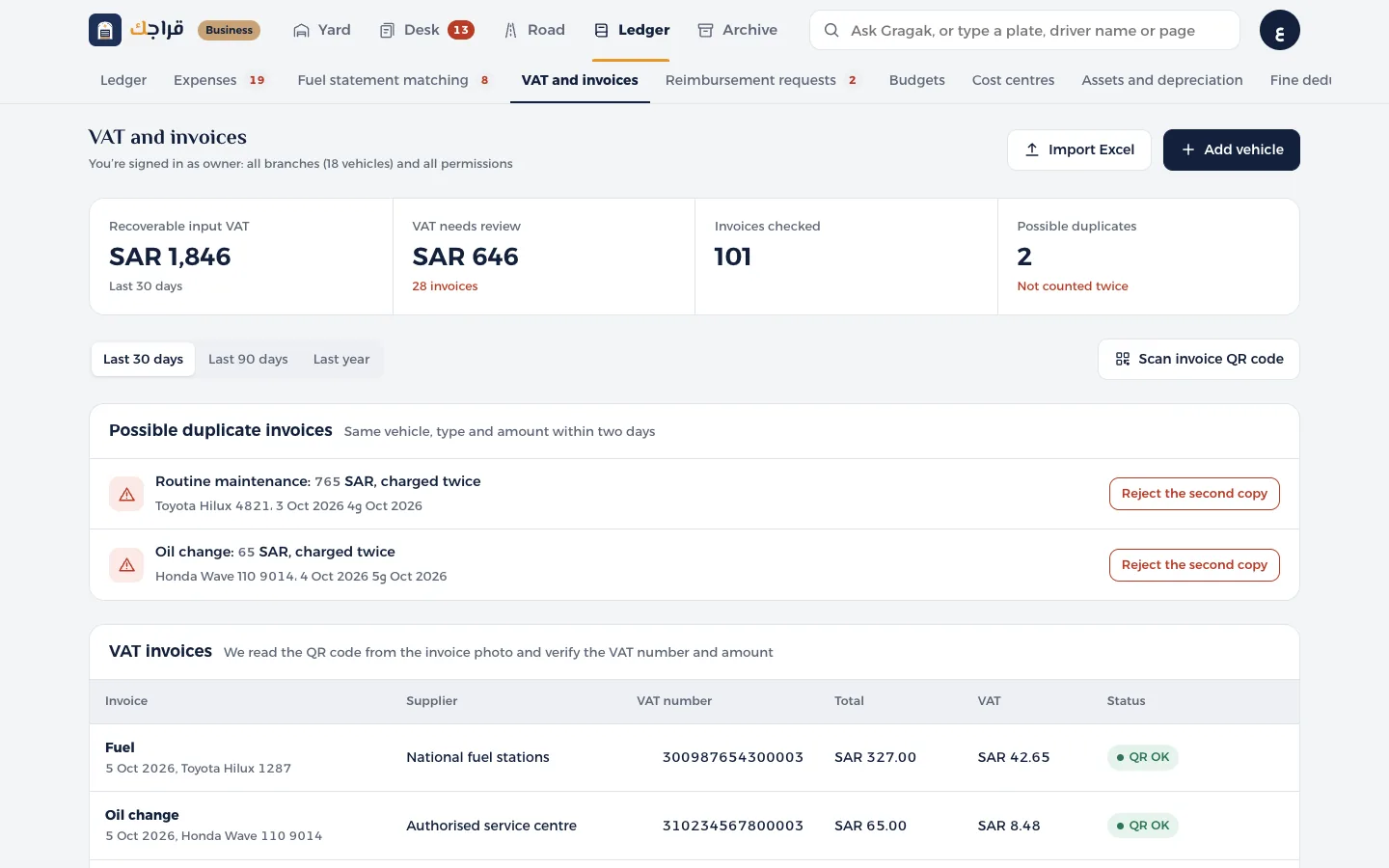
Recoverable input VAT, invoices that need a review, and duplicates.
Before you start
- Accountant or owner access.
- 1
Open VAT and invoices and choose the period.
- 2
At the top: Recoverable input VAT from invoices with a valid QR code, and VAT that needs a review.
- 3
The Possible duplicate invoices section: same vehicle, type and amount within two days. Click Reject the second copy once you're sure.
- 4
To check an invoice yourself, click Check an invoice QR code and paste the code's content. We show the supplier, VAT number, total and VAT, and verify them.
Tip
An invoice without a QR code, or with an invalid VAT number, isn't counted in recoverable VAT. Check it with the supplier.