Export to accounting software
Ready journal entries for Qoyod, Daftra, Zoho Books or Odoo.
Before you start
- Your business's chart of accounts (the account numbers).
- 1
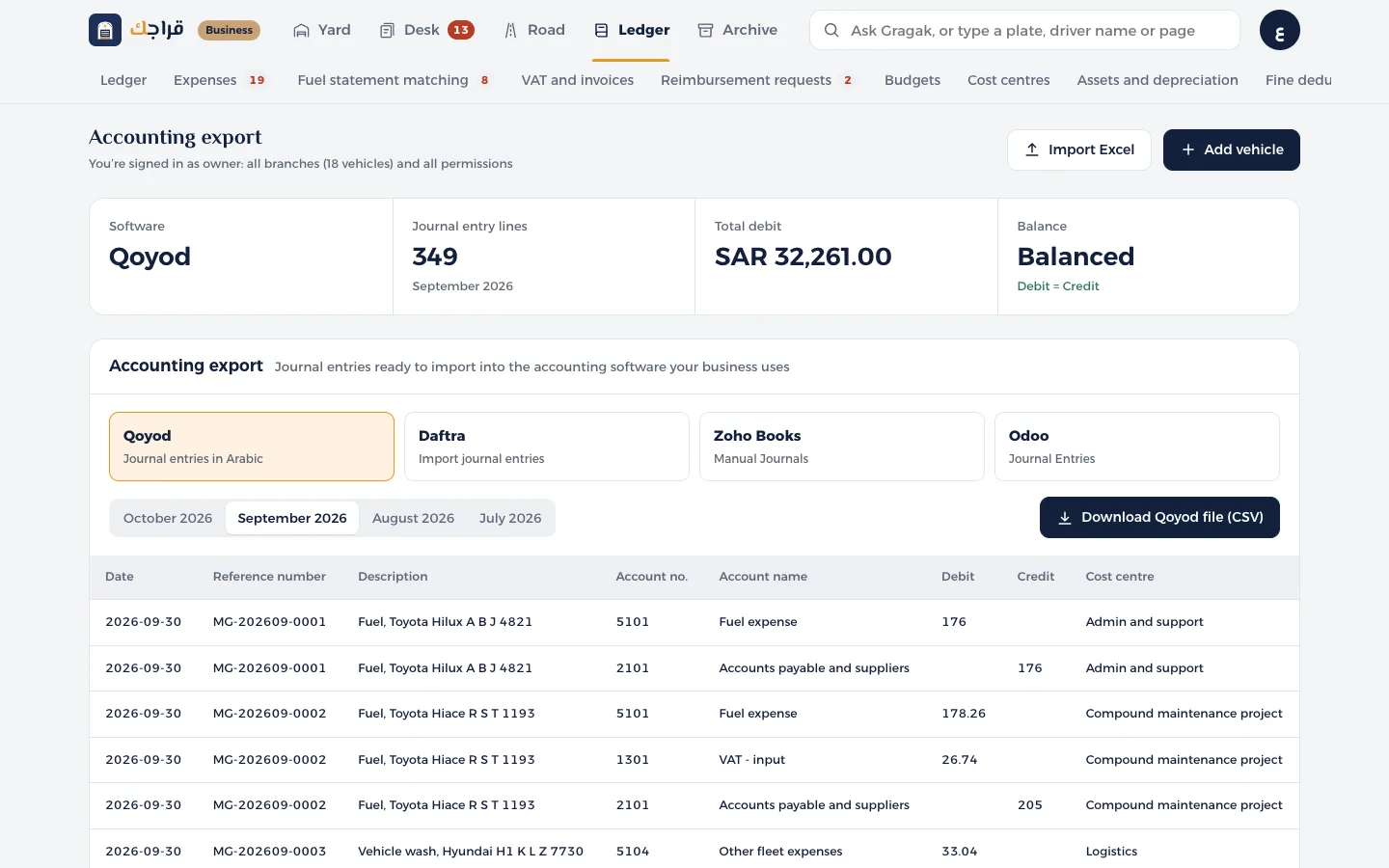
Open Accounting export and choose the software your business uses.
- 2
Choose the month. You'll see a preview of the first 12 lines, and a check that debits equal credits.
- 3
In Account mapping, change the account numbers to match your chart of accounts.
- 4
Press Download file and import it into your accounting software.
Tip
Each expense is posted net of VAT, the VAT goes to the input VAT account (only for valid invoices), and monthly depreciation gets its own entry.
The first time, go through the columns with your accountant, because some software lets you customise the import template.