Month close
6 checks, then close the month and lock its numbers.
Before you start
- Accountant or owner access.
- 1
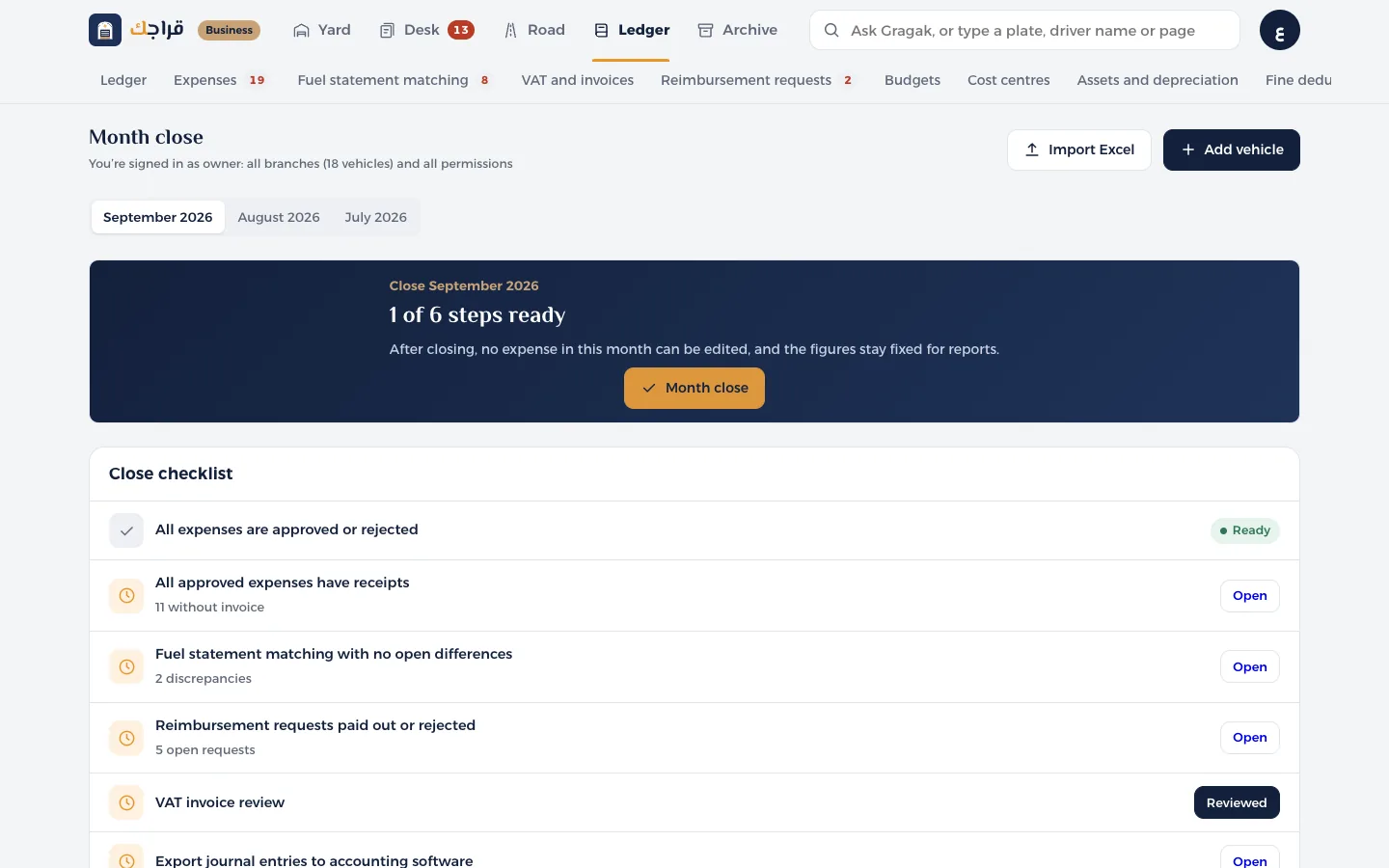
Open Month close and choose the month.
- 2
The close checklist: every expense approved or rejected, every expense has an invoice, fuel matching with no differences, reimbursement requests closed, VAT reviewed, and journal entries exported.
- 3
Anything not done yet has an Open button next to it that takes you to the page where you can finish it.
- 4
Once you've reviewed the VAT, press Reviewed.
- 5
Press Close month. After that, no expense in that month can be changed, and only the owner can reopen it.
Tip
You can close even if some checks are still open, after you confirm. But it's best to finish them all.