Fuel card statement matching
Match fuel card transactions with drivers' entries, and spot the differences.
Before you start
- The fuel card statement from your card provider, as an Excel file.
- 1
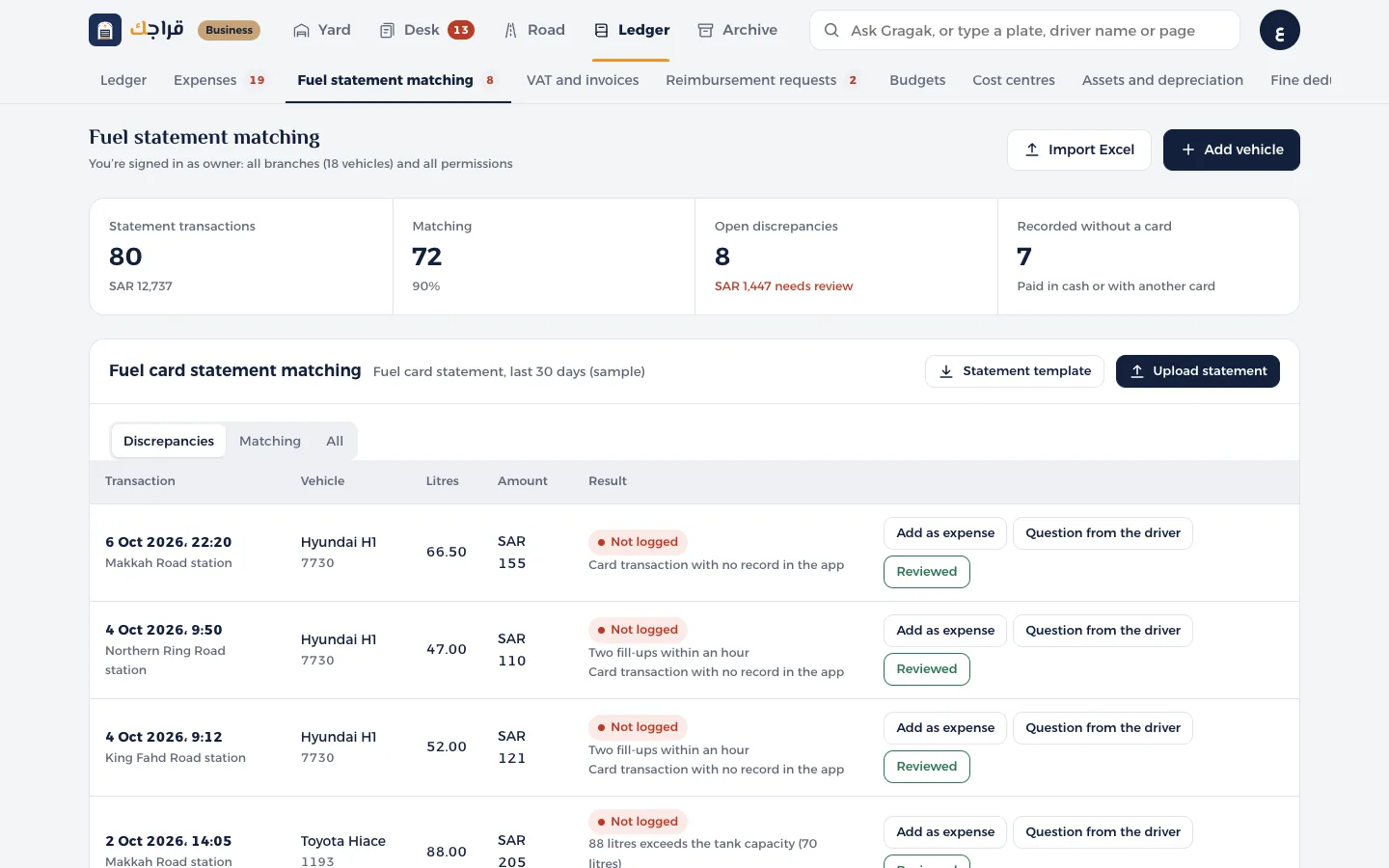
Open Fuel statement matching and click Statement template if you need to arrange the columns: date, time, plate, station, litres, amount.
- 2
Click Upload statement and choose the file. We match each transaction by vehicle, day and amount, within 1 riyal.
- 3
The Differences tab: a transaction with no entry, a different amount, more litres than the tank holds, or two fill-ups within an hour.
- 4
For each difference: Add as expense, Ask the driver, or Reviewed.
Tip
“Logged without card” means the driver logged a fill-up paid in cash or with another card. It isn't necessarily a mistake.