Import vehicles and drivers from Excel
Add your whole fleet in one go instead of one vehicle at a time.
- Owner or supervisor access.
- Your vehicle details: type, make, model, plate, driver and document dates.
- 1
In the Archive, open Import & export.
- 2
Click Download template. You get an Excel file with a vehicles sheet, an example row and an instructions sheet.
- 3
Fill in one row per vehicle and delete the example row. Required: type (car or motorcycle), make, model and plate numbers. Dates go in year-month-day format.
- 4
Go back to the page and click Choose Excel file. We show you every row before saving, and rows with missing details or a duplicate plate show in red with the reason.
- 5
Click Import. The ready rows are added, and if a driver's name isn't in the system yet, we create them and send them an invitation.
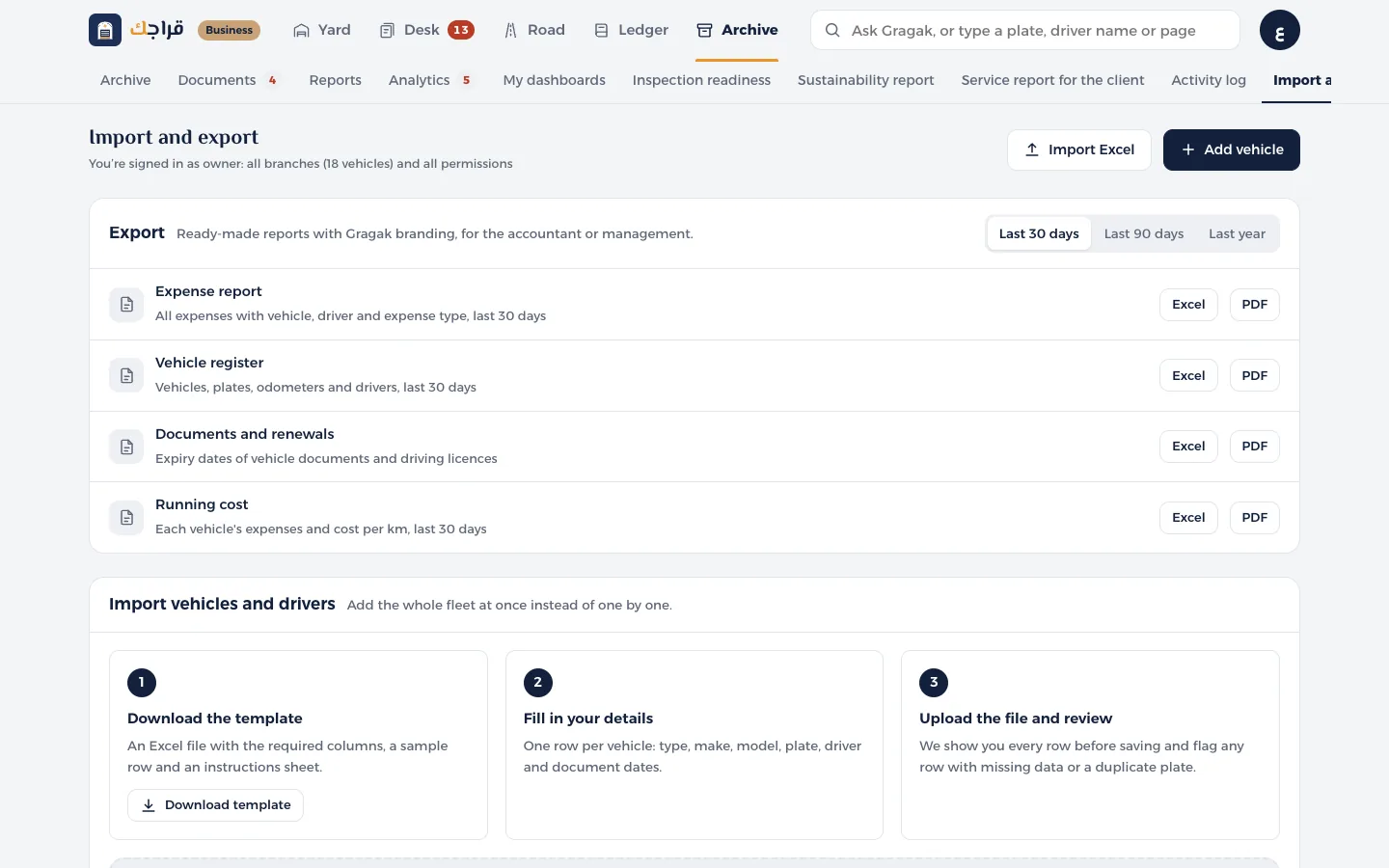
No file yet? Click Try with a sample file to see what the review looks like.
Rows with errors aren't added. Fix them in the file and upload it again.