Subscription, invoices and plan limits
Your plan and what you pay, usage, add-ons and VAT invoices.
Before you start
- The owner changes the plan and add-ons. The accountant can see and download invoices.
- 1
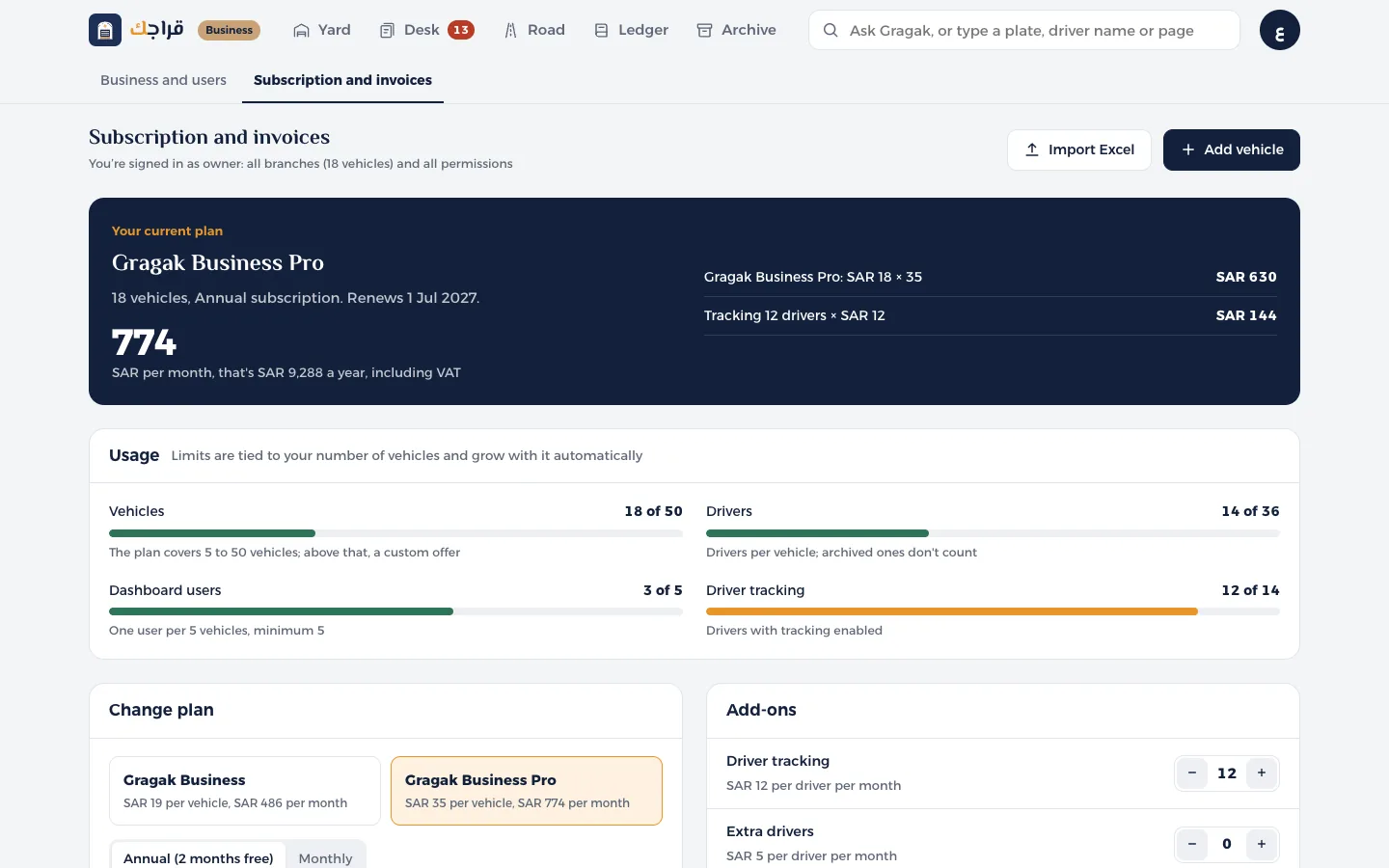
Open Subscription and invoices. At the top: your plan, the monthly amount with its breakdown, and the renewal date.
- 2
The Usage section: vehicles, drivers, dashboard users and tracking, each one against its limit.
- 3
Change plan: switch between Gragak Business and Business Pro, and between yearly and monthly. The difference is worked out pro rata.
- 4
Add-ons: add or remove driver tracking, extra drivers and dashboard users.
- 5
Invoices: tap VAT invoice to download it with Gragak's branding, a QR code, and your business's commercial registration (CR) and VAT number.
Tip
Limits grow automatically as you add vehicles: each vehicle adds drivers, and on Business Pro every 5 vehicles add a dashboard user.