Approve drivers' expenses
Review each expense with its receipt, then approve or reject it.
Before you start
- Supervisor access (for their branch's vehicles) or owner access.
- 1
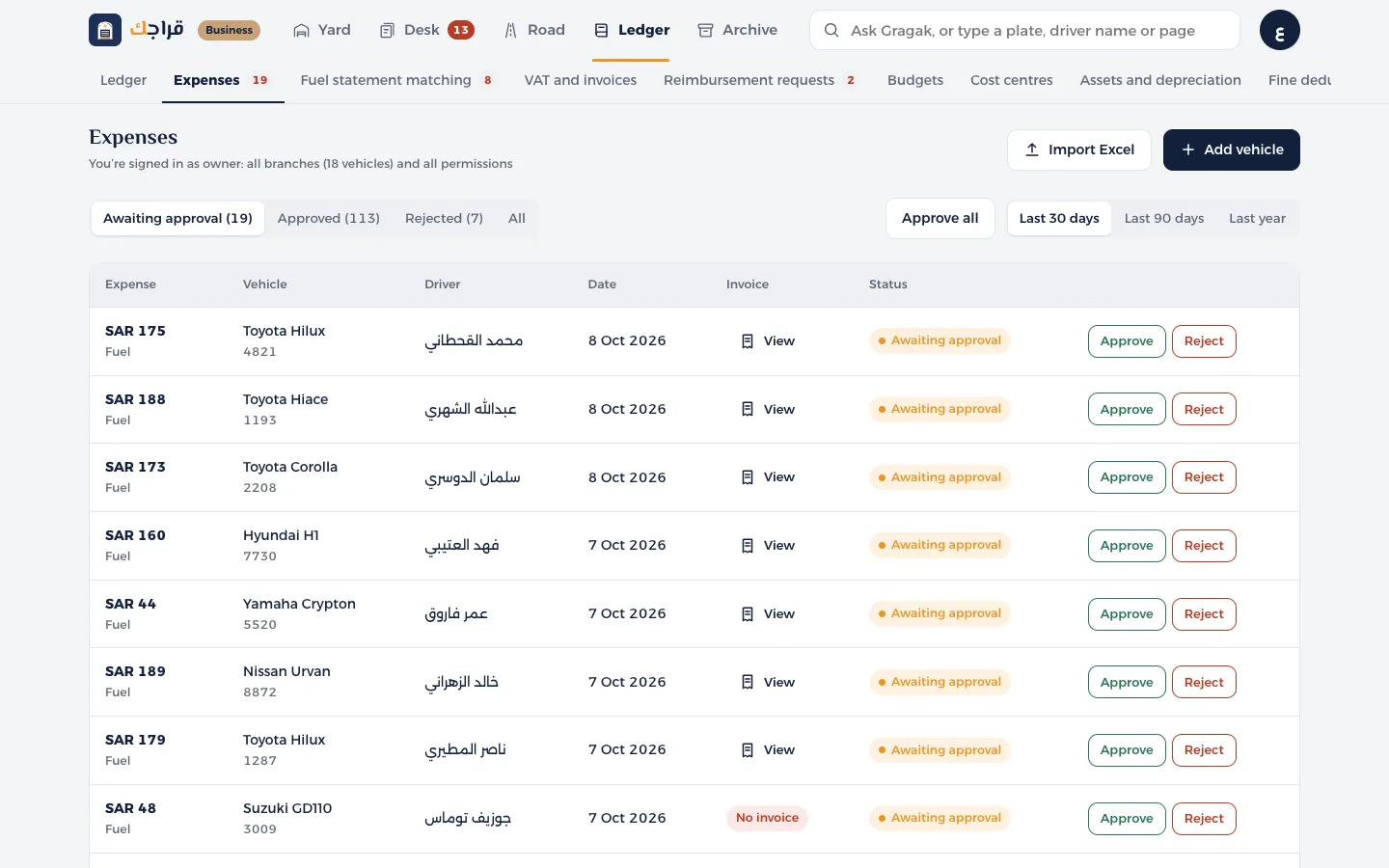
Open Expenses. The first tab is Awaiting approval.
- 2
Press View in the invoice column to see the invoice: the amount before VAT, the VAT and the total.
- 3
Press Approve or Reject. You can also approve from the invoice window itself.
- 4
In Today's tasks there's an Approve all button for when you've reviewed them all.
Tip
An expense with no invoice shows up under Needs follow-up for the accountant. Ask the driver for the invoice before you approve it.